Adding the Xiaomi Roborock S7 to Home Assistant
We’ve had an iRobot Roomba 625 roving the house doing the vacuuming now for over two years and have been happy with having it around. It definitely helps keeping up the vacuuming, but it doesn’t do anything else.
Obviously it’s been integrated in Home Assistant, but I haven’t done much with it. It’s controllable without relying on the cloud that way though most of the time we start it using the iRobot app.
Enter now a sibling from another parental company: Xiaomi Roborock S7. This one is a “smarter” version of the previous one, with unfortunately some more cloud dependencies. Not a fan, but we can remediate that to some level.
Integrating it with Home Assistant means figuring out how to get the cloud token out of the cloud account, which can be done using Piotr Machowski’s Xiaomi Cloud Token Extractor. Using that tool to get the info, and configuring it manually in Home Assistant.
When adding the Xiaomi Miio integration, you need to enter your cloud username & password, check the right server, and definitely check the “Configure Manually” checkbox. 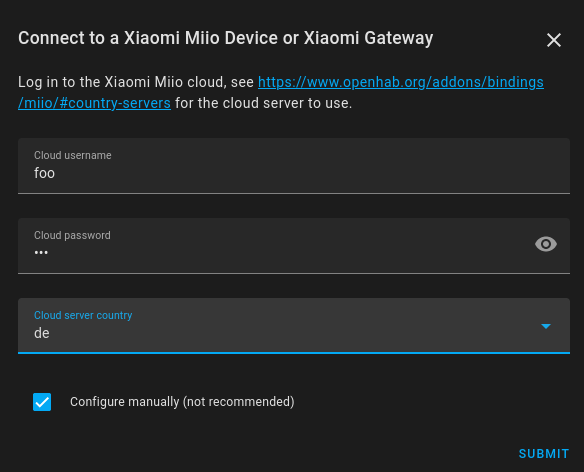
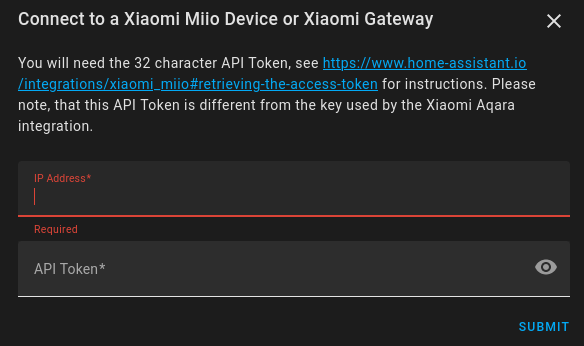
In the second screen you can then add the IP address of the robot, as well as it’s cloud token.
Now, if like me you have your IoT devices on their own VLAN (heavily locked down), you’re gonna hit a snag here: Home Assistant will complain it can’t configure the device. Some searching easily came up with the reason: the robot won’t respond to UDP packets coming from outside it’s subnet.
- https://community.home-assistant.io/t/roborock-s7-entity-always-unavailable/330361
- https://github.com/rytilahti/python-miio/issues/422
- https://python-miio.readthedocs.io/en/latest/troubleshooting.html#discover-devices-across-subnets
What you’ll need to do is add some additional configuration in your router/switch/… (wherever you configure your VLANs). For me that is my OPNsense box in which I had to configure some additional NAT rules:
Under Firewall → NAT → Outbound, add a rule with this configuration:
| Parameter | Value |
|---|---|
| Interface | IoT (your IoT network vlan interface) |
| TCP version | IPv4 |
| Protocol | UDP |
| Source Address | <your home assistant IP / alias> |
| Source Port | Any |
| Destination Address | <your robot IP / alias> |
| Destination Port | 54321 |
| Translation / target | IoT address |
and that’s it. Afterwards your Home Assistant should be able to query the robot, and off you go to build some automations!
Recommended reads: